Post-Processing
Philosophy, workflow, RAW vs JPEG, local corrections, color consistency, print preparation.
Philosophy: Enhance rather than fix
Relying on software to 'save' an underexposed or poorly framed image distracts from the essential: anticipating at the moment of capture. Optimal post-processing amplifies the impact of a solid technical base: micro-adjusting densities, guiding the eye, enhancing important textures, and harmonizing the palette. Less fixing = more creative energy.

RAW vs JPEG
RAW Strengths
- Increased exposure latitude (recover highlights & shadows).
- Neutral color profile, easy to style.
- Bit depth → smooth transitions in skies and gradients.
- Ability to revisit a file years later with new tools.
Limits / pitfalls
- Does not fix a poor composition.
- 'I'll fix it later' delays field learning.
- Aggressive processing can create halos/banding.
- Longer sorting time if unfiltered accumulation.

Use RAW as a quality margin, not as an excuse for haste. A well-thought-out JPEG often beats a poorly 'saved' RAW.
Structured workflow
- Ingestion & sorting: import, keywords, immediate removal of blurs and duplicates.
- Basic adjustments: white balance, global exposure, soft contrast, neutral color profile.
- Targeted tonal adjustments: highlights, shadows, whites, blacks → micro-balance without crushing dynamics.
- Optical corrections: distortion, unwanted vignetting, chromatic aberrations.
- Cleaning: sensor (spots), distracting elements.
- Local adjustments: masks to guide the eye (darken edge, enhance subject).
- Style/harmonization: subtle color grading, selective saturation calibration.
- Final sharpening: output sharpening adapted (web/print) + correct ICC profile export.
Tip: separate 'technical' and 'style' in two distinct passes to limit drift of intent.

Common mistakes
Over-recovering shadows
Shadows turning washed-out gray → loss of volume. Leave some mystery.
Uniform saturation
All colors boosted = visual struggle. Prioritize 1–2 dominant hues.
Excessive clarity/texture
Micro-contrast everywhere → eye fatigue + increased noise.
HDR halos
Artificial bright edges around mountains/trees after aggressive blending.
Over-smoothing
Noise reduction that plasticizes surfaces and removes subtle details.
Systematic cropping
Relying on cropping instead of composing in the field reduces useful resolution.
Reasoned framing & corrections
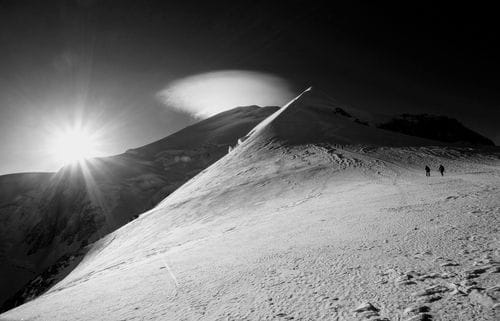
Slightly correcting the horizon or straightening a vertical line is legitimate. Completely recomposing a scene because the initial frame was lazy dilutes visual discipline. Get used to 'finishing' 90% of your composition at capture: cropping then becomes a micro-balancing tool, not a crutch.

Intentional color
Decide early if your rendering favors documentary neutrality, warm mood, minimalist cool palette, or complementary contrast (cyan/orange, violet/gold). Stabilize the initial white balance, then modulate midtones with 'color grading' tools or channel curves. Limit overall saturation and locally reinforce key touches to guide the eye.

Visual style
Develop a coherent stylistic approach by experimenting with color palettes, textures, and compositions. Take inspiration from visual references, but avoid copying. Seek to express your unique vision through thoughtful stylistic choices.
Print/output
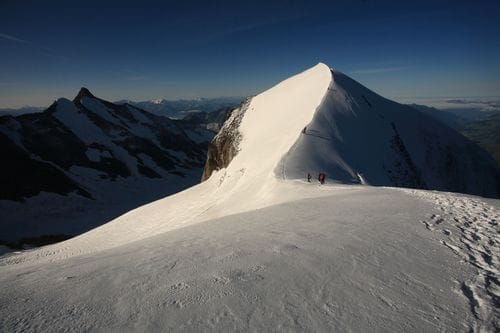
- Color space: work in wide gamut (ProPhoto/Adobe RGB), export sRGB (web) or ICC paper profile (print).
- Soft proofing: check for out-of-gamut color clipping.
- Output sharpening: apply after resizing, parameter adapted (web/matte/glossy).
- Noise management: treat before final sharpening to avoid halos.
- Archiving: keep RAW + non-destructive master file (XMP, catalog or layered .psd/.tif).
Quick checklist
- Correct exposure at capture?
- White balance decided and consistent.
- Basic technical correction done (distortion, CA).
- Extreme densities checked (no unnecessary blown highlights).
- Local masks guiding the eye.
- No excess saturation/clarity.
- Sharpening adapted to the final medium.
- Clean filename / metadata.

In summary
The higher the initial quality (light read correctly, clear composition, controlled exposure), the lighter, faster, and more consistent the post-processing becomes. Aim for a lively yet credible rendering: breathing contrast, prioritized colors, details present only where they serve the story. Software is an extension of your vision, not a backup plan.